



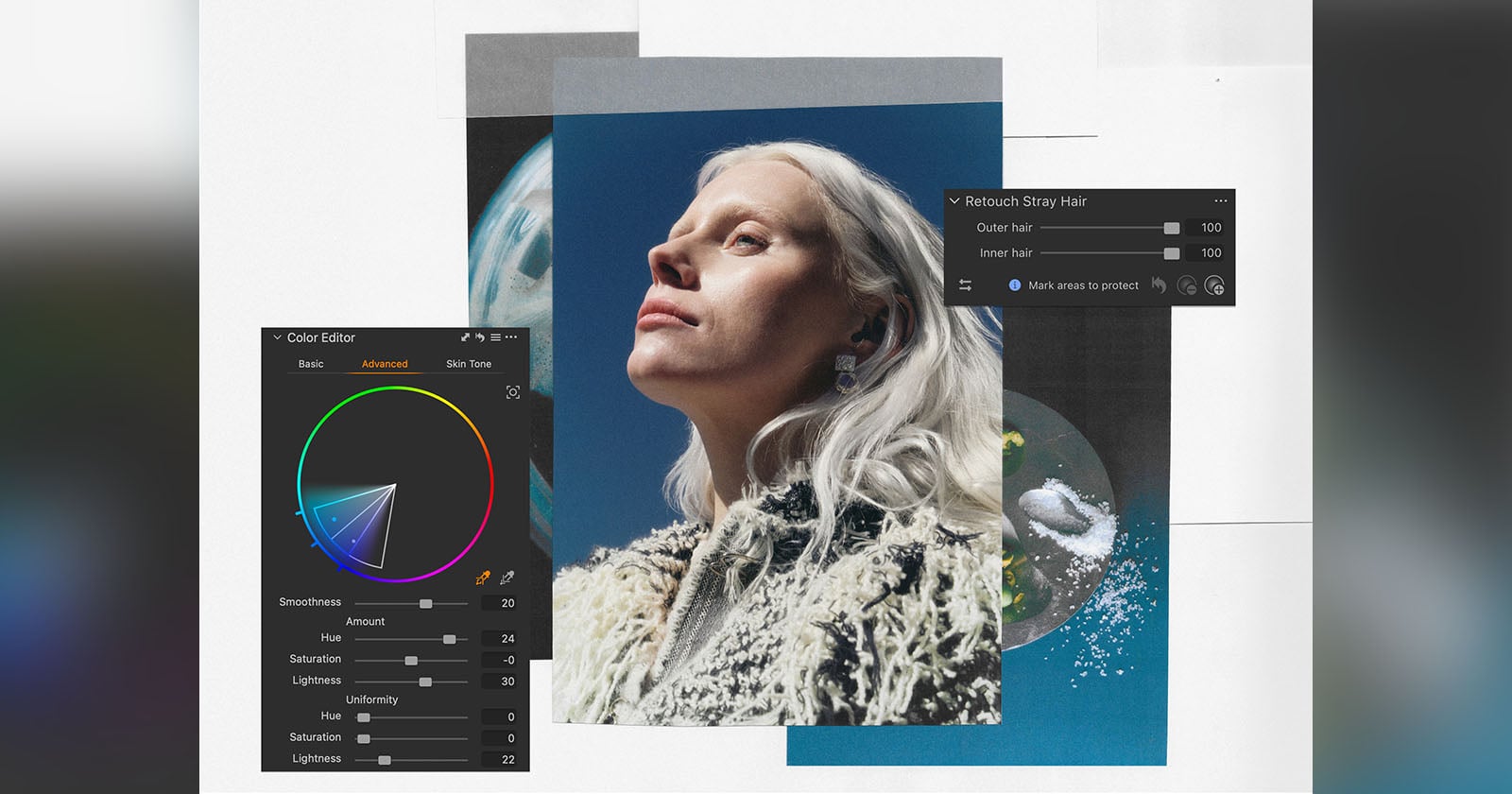
Capture One 16.9 for desktop and 4.2 for mobile have arrived, bringing a wealth of improvements, from improved color editing and retouching tools to new camera support.
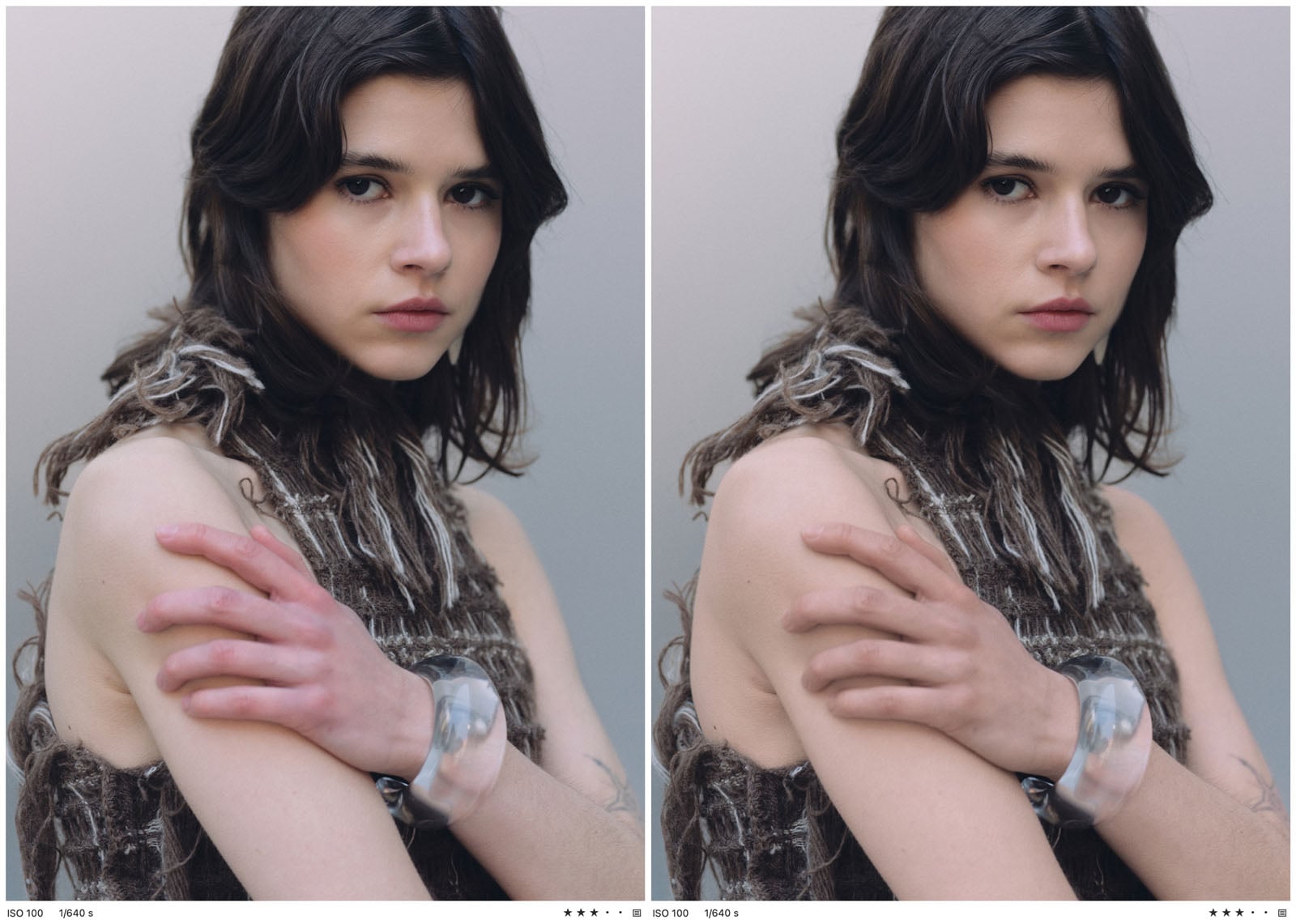
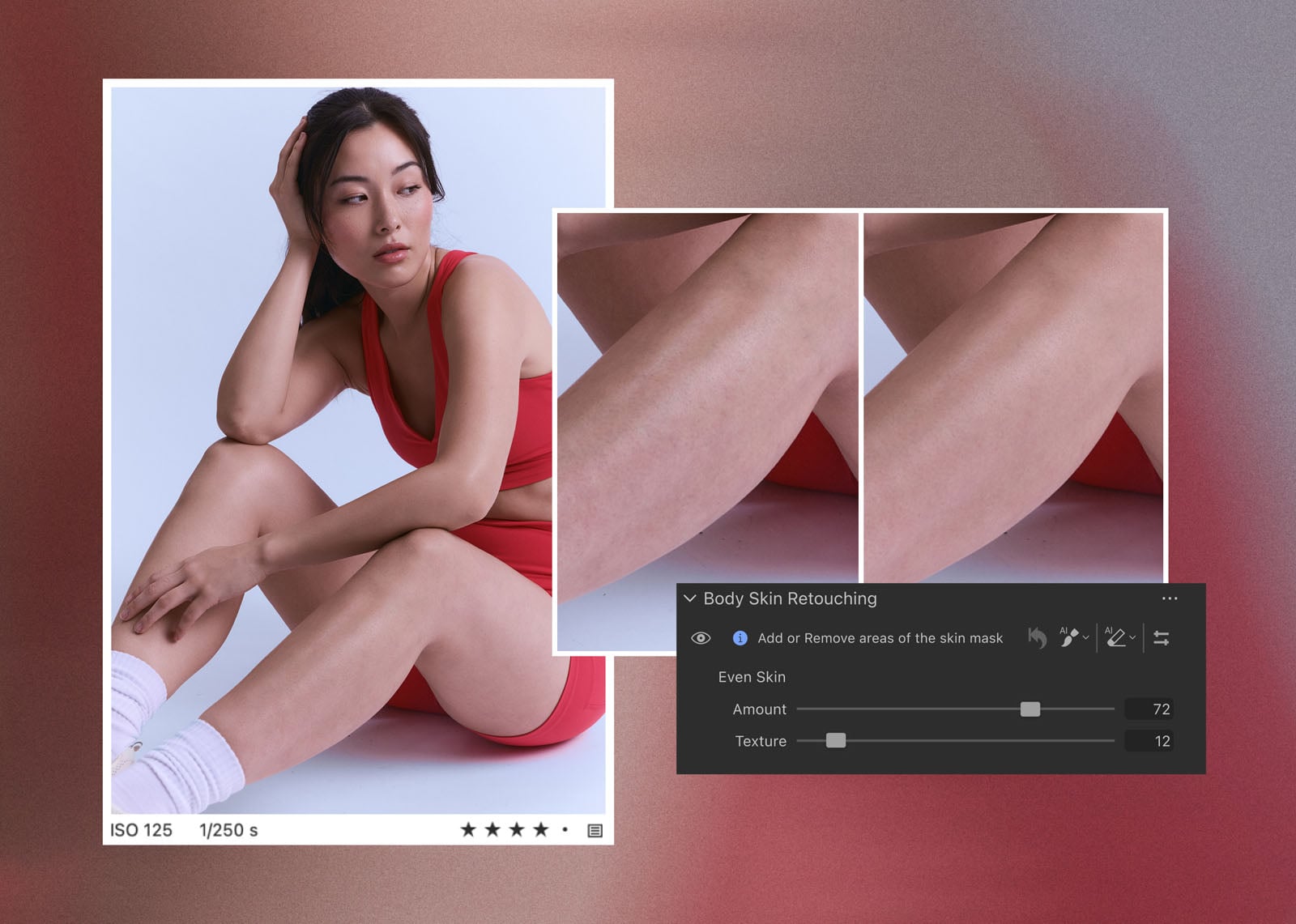
The Capture One 16.9 release on desktop promises to make portrait retouching easier, more efficient, and more powerful. There are new tools for Stray Hair Removal, Skin Tone Retouching, and Body Skin Retouching.
With Stray Hair Removal, portrait retouchers no longer need to remove stray hairs manually, one strand at a time; they can automate and streamline the process. As Capture One explains, not every stray hair is a mistake that needs removing, so the tool includes a slider and a protection brush that let the photographer adjust how much stray hair is removed and which hair stays untouched.
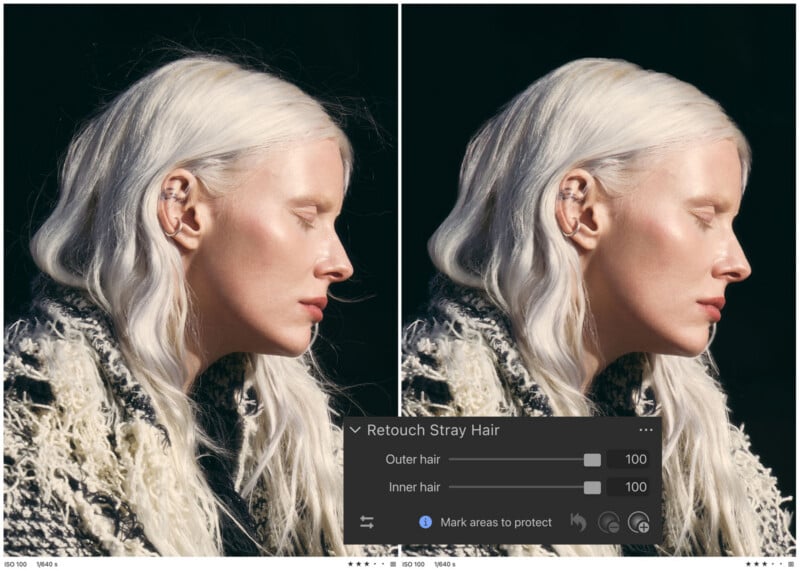
“Portrait and headshot photographers kept asking us to solve this inside Capture One, instead of having to jump to another tool,” says Theis Karger Philipsen, Senior Principal Software Engineer, about the development of Stray Hair Removal. “Turned out to be a genuinely fun problem to tackle.”
Philipsen says that the team started training the model using mannequins and wigs, and once it was up to snuff, they moved to real hair and photos of actual people.
The team originally planned to launch it back in the spring, but at the last second decided it needed more time in the oven.
“We spent the summer refining it, with professional headshot and portrait photographers alpha testing along the way. This is our first version, and the wigs are still sitting on my desk as I am waiting for feedback from our users as they start working with it,” Philipsen concludes.
As for Advanced Color Editor improvements, Capture One says it has developed a new Target picker and redesigned the color wheel to let users change any color to another in only a few clicks.
“On set, that lets a digitech show a photographer, art director, or client how a prop, garment, or product would look in a different tone while the shoot is still running, so creative decisions happen in the moment instead of in post,” Capture One explains.
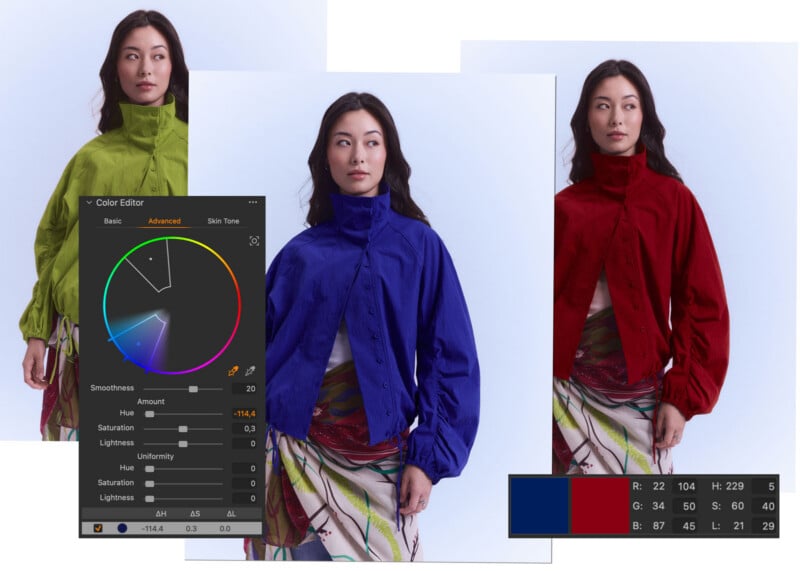
The new Capture One update also adds the ability to type exact RGB and HSL target values, which is useful for those who are trying to match a specific reference color in the software. A new Uniform control adds more control over how consistent a color is across a surface.
“For this release we have redesigned one of our most powerful tools, used by photographers who take color seriously. We made the Advanced Color Editor more capable by adding a Target picker and a redesigned color wheel that let you move any color to any other in a few clicks,” says Daniele Brazzolotto, Product Manager for the Advanced Color Editor updates.
Further, Capture One has brought its Multi-User Sessions (desktop only) out of beta. With the move out of beta, it also includes a few tweaks. Collaborators can now export images and turn on Follow to track the latest image in the session. A new indicator section shows the sync status of images in a session.
As for new camera support, both desktop and mobile versions can now view files from the Nikon Z5 IIC and OM System PEN.
“We are building toward a future where the photographer is the author, not an algorithm. Our tools fade into the background so photographers can lead,” says Capture One CEO Rafael Orta.
The new Capture One 16.9 on desktop and Capture One 4.2 on mobile are available to existing users now. A free 7-day trial is available for new users. Capture One subscriptions start at $18 per month when paid annually.
Image creditsCapture One