


Autumn is here, meaning the leaves are turning golden and falling to the ground. Many people can’t help but whip out their smartphones and take a photo.
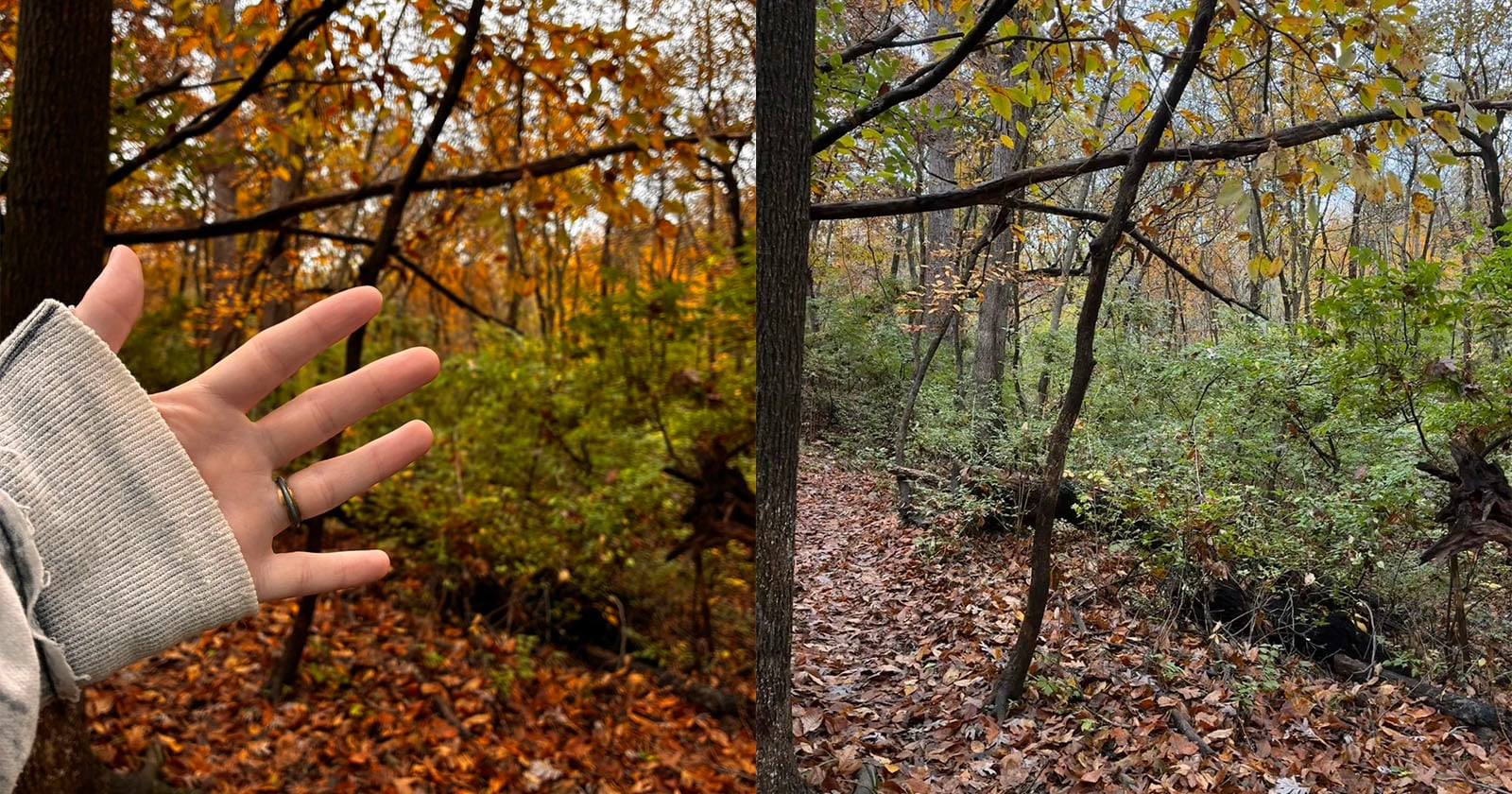
However, the resulting image can sometimes be disappointing and one X user went viral this weekend after she pointed out that the “iPhone can’t handle anything colorful unless there’s a hand in the frame.”
Cherry (@mclIark) shared side-by-side photos of a wooded area covered in leaves. The before picture shows the green, brown, and yellow colors looking flat and washed out. But the second photo of the same scene, with Cherry’s outstretched hand, shows much warmer, inviting colors that are associated with fall.
iphone can’t handle anything colorful unless there’s a hand in the frame https://t.co/C8FVp17gko
— cherry (@mclIark) October 31, 2026
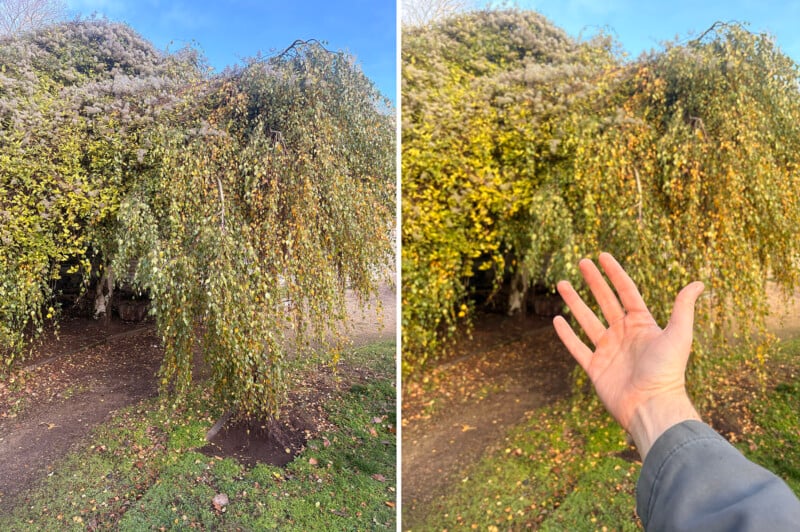
PetaPixel attempted to recreate Cherry’s results. Finding some colorful foliage that was succumbing to the onset of winter, I held out my hand and watched the colors of the trees in the background become deeper and more saturated.
Beneath Cherry’s post, many people complained that the iPhone camera simply can’t recreate the colors of fall that they are seeing with their own eyes. So why is that?
Why iPhone Photos Look Washed Out
It’s not clear which iPhone model Cherry is using, but I used the iPhone 16 base model, which doesn’t allow the user to pick the white balance, and herein lies the problem.
Most iPhone cameras rely on auto white balance (the iPhone 18 Pro and Pro Max are the exception). White balance is a camera setting that adjusts the colors in a photograph to compensate for the color temperature of the light illuminating a scene.
The color temperature of light is measured in Kelvin (K). Virtually all modern cameras allow photographers to manually set the K value by selecting a specific temperature. Cameras also have the option of selecting preset white balance options; “Daylight,” for example, is roughly 5,500 K.
But since this is not possible on most iPhones, apart from the new 18, smartphone photographers are left at the mercy of Apple’s computational photography system, which many argue is focused on getting humans looking right, and less so landscapes.
It’s possible that the iPhone incorrectly interprets warm autumn light as an unwanted color cast and compensates by cooling the image. When a hand is introduced into the frame, it likely influences the camera’s color calculations, changing the white balance and making the foliage appear warmer.
Apple has previously discussed the issue of how ambient lighting can significantly alter the colors in photographs. While it’s great that it has introduced white balance controls to the iPhone 18, serious photographers know that setting the white balance correctly before shooting pictures leads to better results, and this can generally only be done with a real camera.
Affiliate Disclosure
PetaPixel articles may include affiliate links; we may earn a commission if you buy through one.