


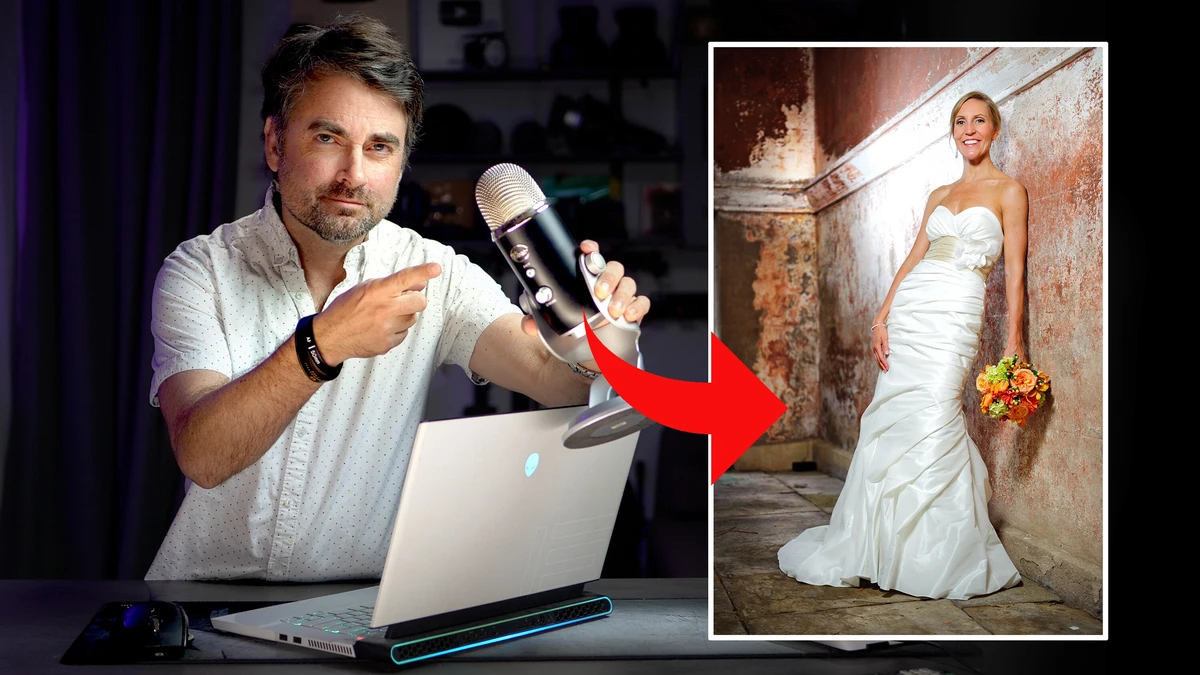
Most wedding and event photographers lose a surprising amount of time editing the same handful of sliders photo after photo. Each tiny adjustment only takes a second, but across a full gallery, those seconds can add hours to your workflow, even with AI automation applied. Last week, Imagen released a completely new way to blast through your photo edits, and you may not even need to click a slider at all. I’ve been using Intelligent Studio, and what it can do is pretty wild!
For the last month, Imagen has been slowly rolling out a completely new, overhauled version of their culling and AIediting software. On November 9, it became available to everyone, and the most interesting feature is an interactive AI dashboard called the Assistant. The Assistant allows you to type or even talk into your workflow and achieve precise and refined editing skills that were previously difficult, if not impossible to achieve. This newly updated app is available to anyone who has a paid or trial account, and Imagen added some other exciting features including a redesigned workspace, a manual editor, and culling that can happen at any point in a job.
The Assistant
The Assistant is a chat panel inside Imagen’s Intelligent Studio that controls the editor, and you type or talk to it, with voice built right into the app, much like you would with ChatGPT. The way I see it, this is closer to directing an assistant than actually working manually in a piece of software, and it is one of the first photography applications using the new AI agents that have taken over the tech world this last year. One single Assistant request can locate a group of photos, select them, and change them, which would otherwise be three separate chores repeated across a wedding. You can stop at any point and continue adjusting the sliders yourself, so it fits into whatever mix of manual work and automation you already prefer. The exciting part is the types of tasks you can ask it to do.
An easy task would be to ask the Assistant to brighten up a specific sequence of images. But imagine asking it a more complicated request, one with a lot more conditions. Imagine requesting a Portra 400 film look only on outdoor photos while giving a Fuji 800 look on indoor photos for groups of more than 10 people. What if you want to add vibrance and a warmer white balance to only the outdoor ceremony shots and a cooler white balance when photographing the rings? Done, and done! A request can also use metadata such as a photo’s lens, camera, ISO, or capture time, along with the star ratings, flags, and color labels you’ve already added. Want your Lensbaby or fisheye lens shot to always render in black and white? Just type it and it becomes a reality.
Imagen lists requests like these:
- “Set all closed-eye and out-of-focus shots to 1 star”
- “Show me all group photos where everyone’s eyes are open”
- “Make the reception set moodier, a touch warmer than my norm”
- “How many keepers do I have, broken down by scene?”
You can also correct one photo by hand and ask the Assistant to carry that adjustment across the gallery. According to Imagen, each image gets the same nudge and keeps its own starting point, so the frames don’t all land on one fixed look. The company also says the Assistant works through the regular sliders and never generates pixels, so you can see and undo each change without worrying that the maid of honor’s face has been transformed into “AI slop!” Since the September launch, it has added finer color control, presets, collections, and an awareness of what you’ve already culled.
Imagen’s launch keynote shows the Assistant at work, including a search for frames with anamorphic lens flare where the bride’s veil is blowing in the wind, with nothing tagged ahead of time.
The automation does about 90% of the work, but the photographer still signs off on any big moves. When using the software, the Assistant will open a confirmation screen before it applies edits. It won’t accidentally export, and it can’t mask a single area of a photo. The Assistant also only becomes available once a project’s culling and editing have finished, and a daily limit applies. Vague requests like “find the romantic moments” don’t work well, so be specific about what’s in the frame or the metadata.
A New Workspace, in Any Order
The overall app itself got a huge overhaul too. In the editor, the selected photo now fills most of the screen, a filmstrip runs along the bottom, and the histogram and sliders sit in a column on the right. The bigger change is structural. Photo software has long asked you to cull, then edit, then export, and to start over if anything changes. In Studio, those stages now live in one project, so you can start editing before your picks are final and begin working on a wedding while it’s still uploading.
You can run a second culling pass without a fresh upload, and the full-size view now marks closed eyes and missed focus. Imagen can pick the best frame from each scene, cull down to a set number, or skip culling if you’d rather do it yourself, and the company says large culling jobs now finish faster. If you cull by hand, the habits that speed up culling carry over to any app.
AI Profiles remain the base of the edit, the idea we looked at when we reviewed Imagen in 2021. You can train an AI Profile on your past work, begin with one of Imagen’s premade profiles and keep improving your own profile by uploading your edits to it, or build one from a Lightroom preset. That’s three ways to immediately start seeing the benefits of AI editing regardless of whether you’ve shot 500 weddings or you are just getting started with your first full season.
You can apply a second AI Profile to selected images inside the edit, so one style no longer has to carry an entire wedding. You could give the getting-ready shots something soft and airy. If you use kicker strobes and on-camera flash during the reception, you might call for an edgier look with more punch. If you offer a photo booth, those pictures could get a treatment of their own as well.
A Full Editor in the Same Window
Imagen never had a manual editor of its own before this update. It now handles raw and JPEG files, and each adjustment shows up right away. You can work on every frame by hand, lean on your AI Profile for the heavy lifting, or mix the two. The panels will look familiar if you’ve spent time in Lightroom Classic:
- Basic adjustments, including white balance, exposure, contrast, highlights, shadows, texture, clarity, vibrance, and saturation
- Curves, either freehand RGB or parametric
- HSL across eight color ranges, plus Point Color for up to eight sampled colors per photo
- Color grading for shadows, midtones, highlights, or the full image
- Detail, with separate luminance and color noise reduction
- Lens corrections from profiles for distortion, vignetting, and chromatic aberration, plus manual defringe
- Geometry, including auto-vertical straightening
- Effects (vignette and grain) and calibration
You can draw your own masks or refine the subject and background selections the AI builds for you, and any combination of settings can become a preset. The AI tools run across the gallery to straighten frames and crop to standard, portrait, or headshot framing. You also have Smooth Skin and Whiten Teeth for portraits. Exporting work is still from the same window, and the usual files are available (JPEG, PNG, or TIFF files, in sRGB, Adobe RGB, or ProPhoto RGB).
Finding Photos Without Tagging
The new AI filters organize pictures based on who is in them or the part of the day, with no manual tagging. For anyone hunting down every family formal in a gallery of thousands, that could save a ton of scrolling. At the moment, scene detection only works for weddings with a few common scenes like reception, ceremony, family groups, etc. However, other genres and other scenes are expected to be usable soon. On the right-hand side, additional filters such as closed eyes and blur sit alongside the usual star rating, color label, and camera options.
Where Lightroom Fits
Studio isn’t pitched as a Lightroom replacement, and Lightroom stays fully supported for anyone who wants it. Your AI Profile edits and AI tool results still download to Lightroom Classic as XMP files, and they work with Bridge, Photoshop, and Camera Raw as well. We’ve also covered how Imagen and Lightroom work together on culling.
The catch is that manual adjustments you make in Imagen’s editor stay in Imagen, and they have a pop-up window to remind you while editing. If you often reopen old catalogs for reprints, you will want to decide at the start of each job which program does the finishing so the edits are preserved. A gallery that will end in Lightroom should get its final manual work done there. A gallery you finish in Imagen can now run from your first import to your last export without another program involved.
Where It’s Headed
Imagen says it’s building an editor model of its own, which would learn how you edit inside the app in addition to what it learns from your Lightroom work. The company has also described features that would notice your habits, so if you always build a sneak peek from four black-and-white photos, it could offer to do that again next time. If you removed exit signs from your last wedding, it could ask whether you want them gone from this one. Honestly, this sounds a little too good to be true, but with all things based in AI, the technology is improving so rapidly that I wouldn’t doubt we could see this in 2027.
In Imagen’s keynote, they also promised assisted culling, where Imagen suggests a rating and you make the call, along with retouch sliders. As those arrive and your AI Profile keeps learning from your edits, I think this could open up edits that were too difficult or time-consuming to attempt on a full gallery.
Who Gets the Most From It
Wedding photographers stand to gain the most, of course, because their galleries often run into the thousands and the scene filters are currently built around a wedding day. Imagen also serves portrait and commercial photographers, with scene recognition for other shoot types still to come. If you’re after galleries, a CRM, and tethering in one app, that’s outside what Imagen is building, since their focus is the edit itself. My personal hope is they will build tethering into their app since it would be amazing for headshot, portrait, and beauty photographers to cull, retouch, and edit all while the shoot is still in progress. I can dream, right?
Black Friday Deal and Final Thoughts
Imagen says photographers on its pay-as-you-go plan, which has a $7 monthly minimum, pay at export. Every edit is visible in the gallery beforehand, and the sliders, crops, and masks they do themselves are always free. Before you move a paid job over, remember that manual changes made in Imagen won’t open as Lightroom adjustments.
The Assistant is really the reason to try this update, since it’s designed to take the searching and repetitive slider work out of a big gallery while leaving the final call with you.
Imagen’s Black Friday deal gives new and returning photographers their first month of the Limitless monthly plan for $5. Sign up through Imagen’s promotion page through December 4, 2026, and enter the code bf26 at checkout if it isn’t applied automatically. After the discounted month, the plan renews at its regular $165 monthly price (billed monthly) or $129 (billed annually). You can switch to pay-as-you-go or cancel instead. If you aren’t sure if Imagen is right for you, you can get 1,000 free exports with no credit card, so you can try the Assistant on one of your own weddings.